Blog

Creating Resources with Project Online

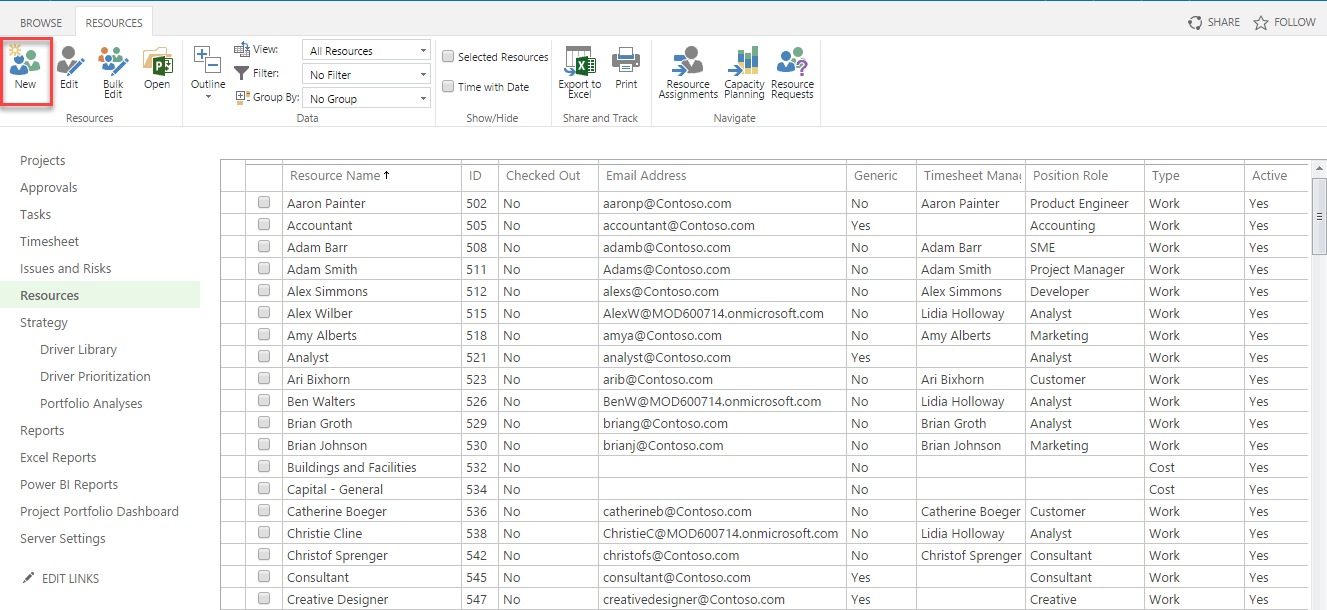
To create a new resource with Project Online, we enter the ‘Resource Center’ section from the menu. The resources are divided into 3 parts, which are the work, materials or costs required to complete the project. We can start the source creation process by clicking ‘New’ under Project tab.

kaynak 1

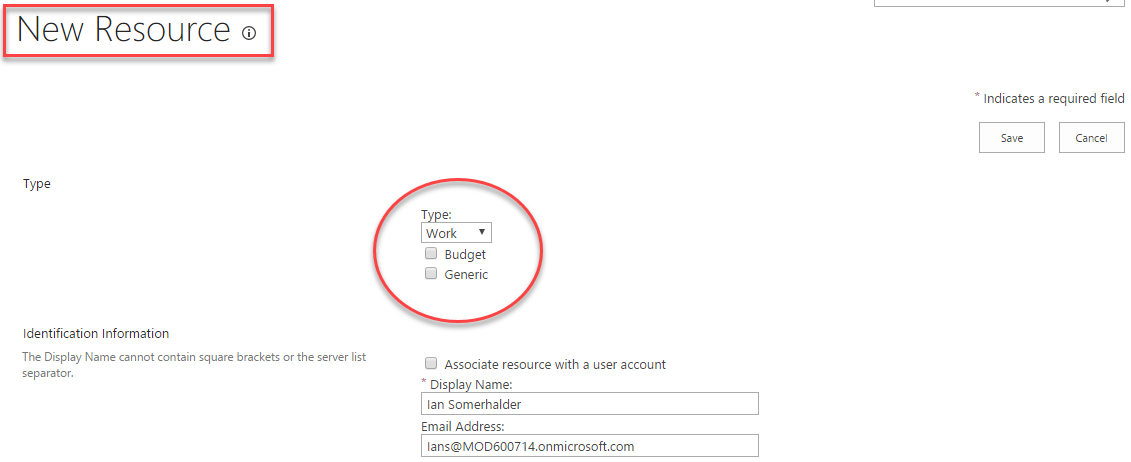
When we enter the resource creation page, we first choose a type for the resource to be created. These resource types include;

  • Study: Those who complete the tasks in our projects.
  • Materials: These are the tools we need to complete our projects. These may include things like a car, a computer, or a conference room.
  • Cost: The fees related to our projects. These can be things like lodging or airline tickets.

kaynak 2

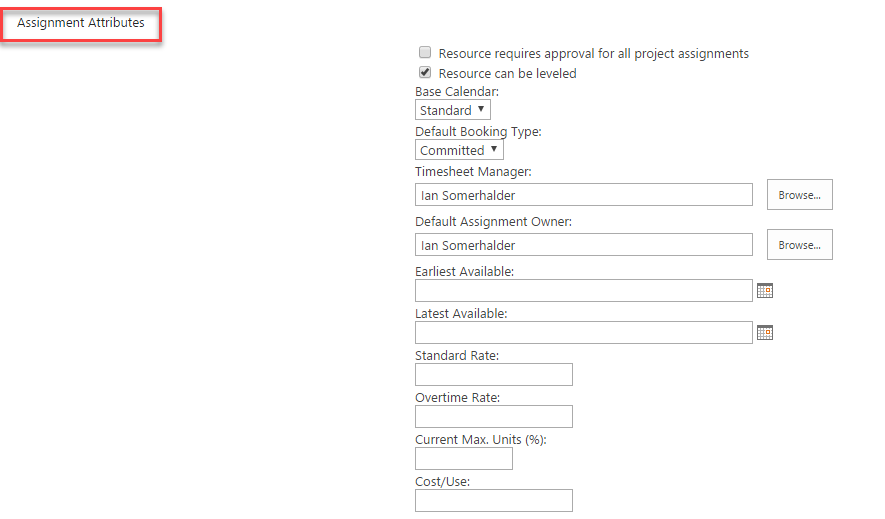
Then we fill in the other fields related to our source and record them.

görsel3

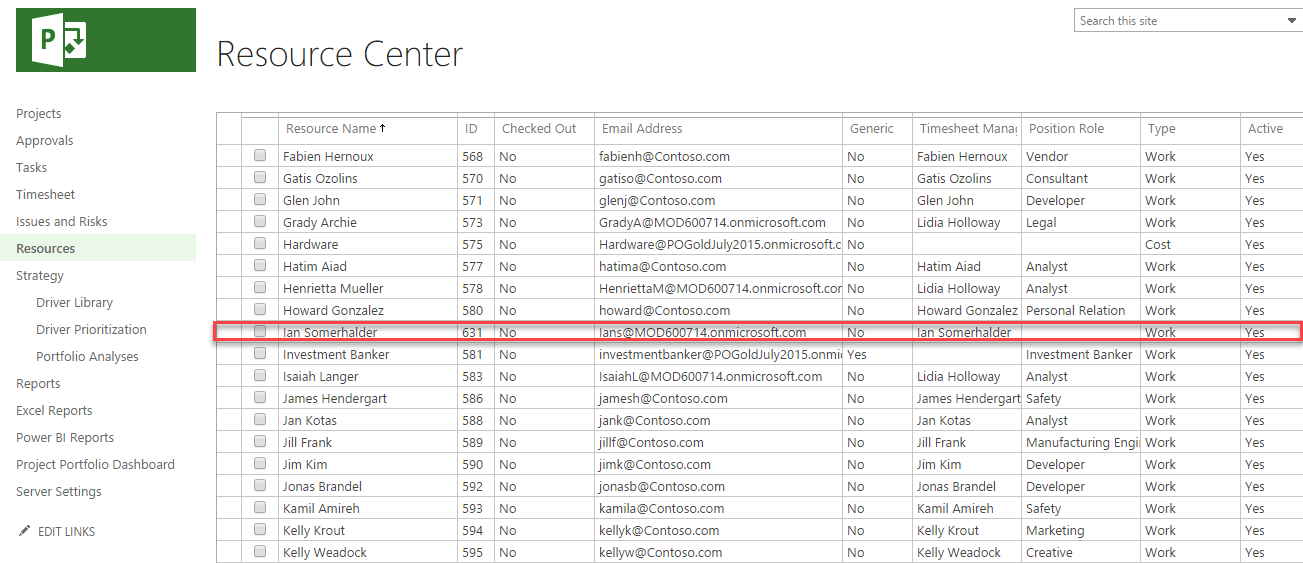
After registering the source, we created, we can see the newly added source in the ‘Resource Center’ page.

görsel 4


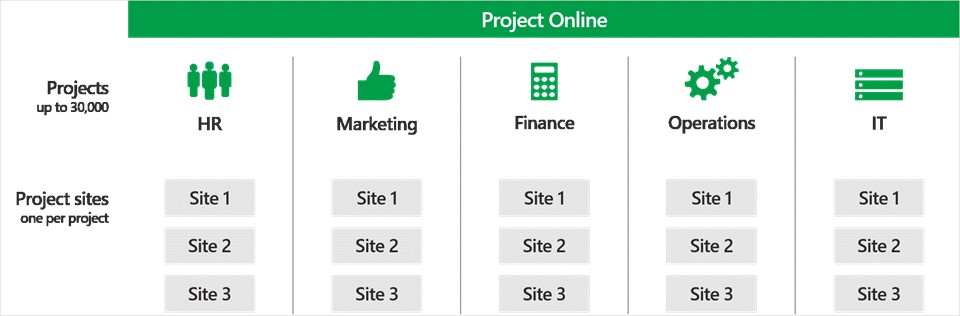
Create and manage up to 30,000 projects in Project Online.

In the past, Project Online only allowed for 5,000 projects. Today, that increases six-fold, enabling us to create and manage up to 30,000 projects in the cloud.

Microsoft Project group announce several updates that improve performance and help us get the project information we need faster. One of these updates is the ability to create more project sites—also called subsites or collaboration sites. Before, there was a limit of 2,000 project sites. If we wanted more, we had to split them into multiple Project Web App (PWA) sites, impacting team productivity. Now, there’s a one-to-one relationship between projects and project sites. For example, if our Operations department creates 4,000 projects, it can also create 4,000 project sites across multiple site collections, boosting collaboration and information-sharing among project teams. Additionally, we can set the destination of these project sites in the Enterprise Project Type (EPT) template to help streamline project creation.

project 1

Divide projects and project sites among different departments, as shown here, or host all 30,000 in a single place—whatever works best for your business.


Access the Project Center data faster

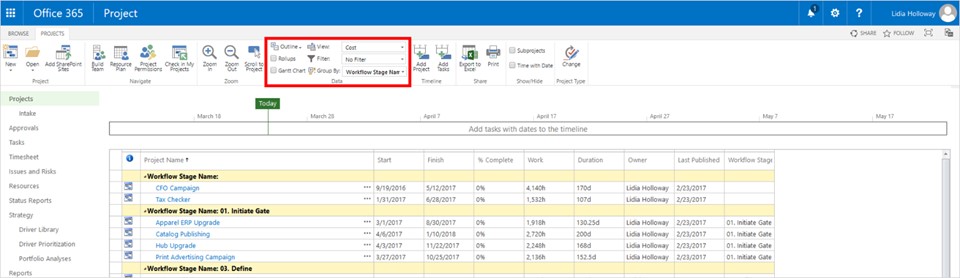
More projects also means more data. Every time you go to the Project Center, Project Online calculates aggregate information—like total cost of all projects—which slows the time it takes to pull up that page. Going forward, you have the option to disable rollup groups and Gantt charts, bringing you the project data you need faster—especially as you create more and more projects. Microsoft also expedited the process for displaying a list of projects within Project Center and improved the custom filtering feature to help you quickly find the right project data.

project 2

Filter data rollup and Gantt chart groups to find Project Center information faster.

Microsoft also released OData performance enhancements to decrease the transmission time for retrieving data from project reports. This is particularly helpful if you use SQL Server Integration Services to transfer data from Project Online into your own warehouse. You can download all your data at once, then pull the changed records at regular intervals to keep project data updated.


Lastly, Microsoft added modify dates to the following entities:

  • AssignmentBaseline
  • AssignmentBaselineTimephasedData
  • AssignmentTimephasedData
  • Engagement
  • EngagementsTimephasedData
  • ProjectBaseline
  • TaskBaseline
  • TaskBaselineTimephasedData
  • TaskTimephasedData
  • TimesheetLineActualData
  • ResourceDemandTimephasedData
  • ResourceTimephasedData


You can access to original text and frequently asked questions from the Microsoft web page with the help of the following URL below.

https://blogs.office.com/2017/04/03/create-and-manage-up-to-30000-projects-in-project-online/

Project Management With Ms Project 2016

The planning processes of enterprise-scale firms can be challenging the size of the work done. Work, time and cost management; Based on the size of the project it is difficult to track the progress and administrative difficulties are encountered. For example; Questions such as “Is there someone who does not work today, what is my resource availability, will these tasks be completed on time, or what will be the time-cost ratio?” were required to be answered by each project manager to manage the project.


The fact that such factors as database and time management play a crucial role in managing project successfully. There is a need to a database that knows the time!

Microsoft Project has maintained its most preferred program status for many years. Reporting options and customizable areas according to the structure of the corporations, has enabled users to integrate business structures in project management. With the innovations coming in 2016 versions, it became more active and more manageable.

Office 365 PPM

Microsoft Office 365 PPM can help increase visibility into project performance and improve project management performance.

The costs and benefits for a composite organization of 5,000 employees, based on customer interviews, are: 

•       Investment costs: $1,710,810.

•       Annual costs: $174,890.

•       Total cost savings and benefits: $8,359,959.

Microsoft commissioned Forrester Consulting to conduct a Total Economic Impact™ (TEI) study and examine the potential return on investment (ROI) enterprises may realize by deploying Office 365 Project and Portfolio Management. The purpose of this study is to provide readers with a framework to evaluate the potential financial impact of Office 365 PPM on their organizations.

To better understand the benefits, costs, and risks associated with an Office 365 PPM implementation, Forrester interviewed four customers with multiple years of experience using Office 365 PPM. Microsoft Office 365 PPM is a cloud-based software-as-a-service (SaaS) offering that helps organizations improve resource management, increase project management performance, and improve visibility into projects, programs, and portfolios. As a cloud-based solution, Office 365 PPM also reduces infrastructure costs and removes the need for costly software upgrades. Additionally, Office 365 PPM easily scales with business growth while providing synergies with Office 365 products and integration with SharePoint and Power BI.

Prior to Office 365 PPM, customers had implemented an outdated on-premises project management solution that was poorly utilized by project managers (PMs). In many instances, Microsoft Excel was the tool of choice for PMs to track project progress and performance. This impeded visibility into projects for leadership, finance, and project management offices (PMOs), hindering the ability to strategically manage project portfolios. With Office 365 PPM, customers were able to build more consistent project management practices that provided greater visibility into project management performance. This provided leadership with the ability to make better strategic decisions in the project portfolio. Said one enterprise PMO leader when speaking about Microsoft Office 365 PPM: “The visibility to the projects was huge . . . especially when you can deploy it at an enterprise level and for the first time as an organization get visibility to your entire project portfolio, and then making the selection, prioritization, and sequencing decisions.”

You can reach the research details from the link below:
http://query.prod.cms.rt.microsoft.com/cms/api/am/binary/RCaEMX

Overview of 2016

2016 Overview

What a year passed quickly. When we look back, we see that we have left behind a busy working year.

Events we participated in 2016.

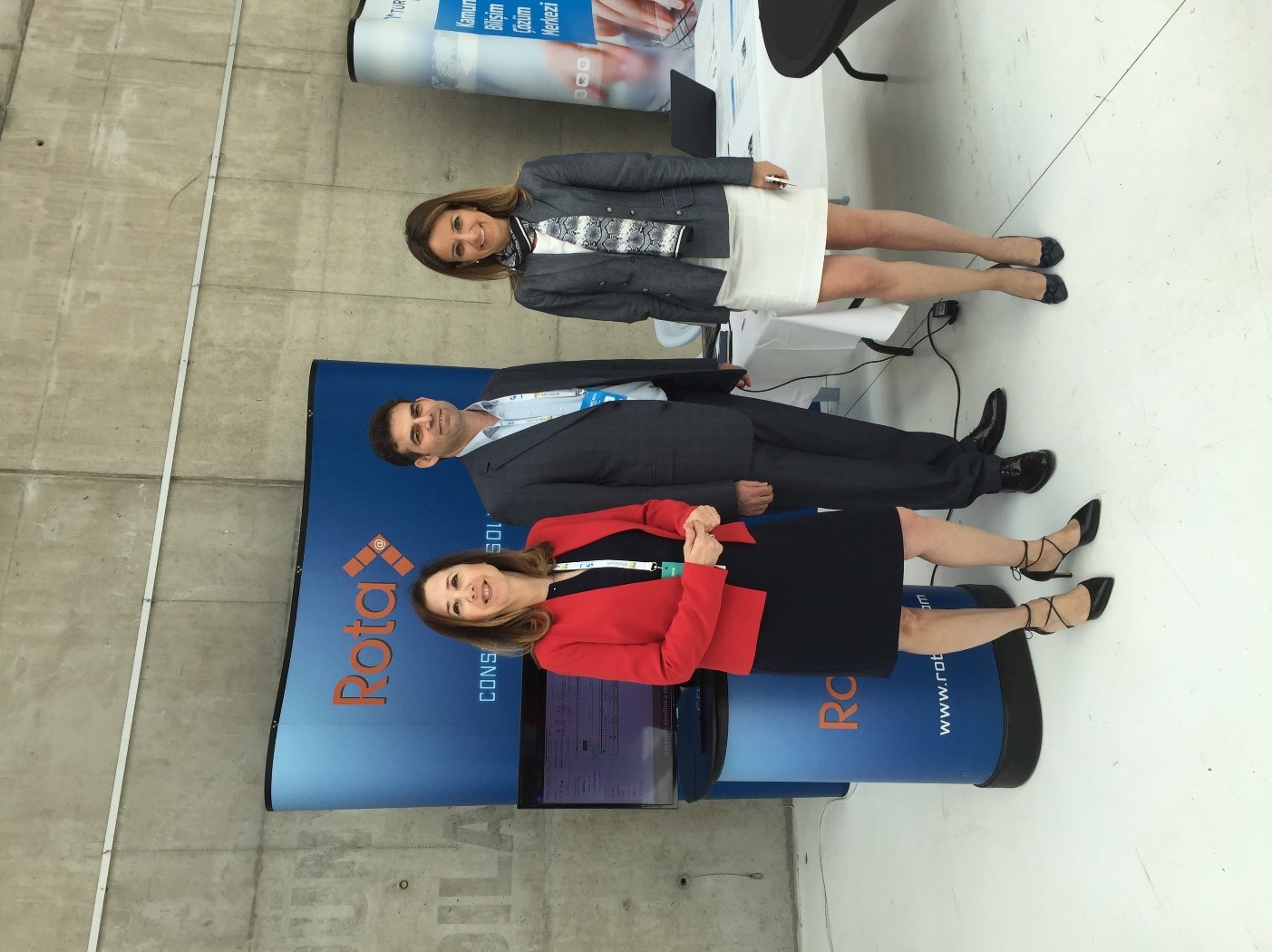
PM Summit Ankara 2016

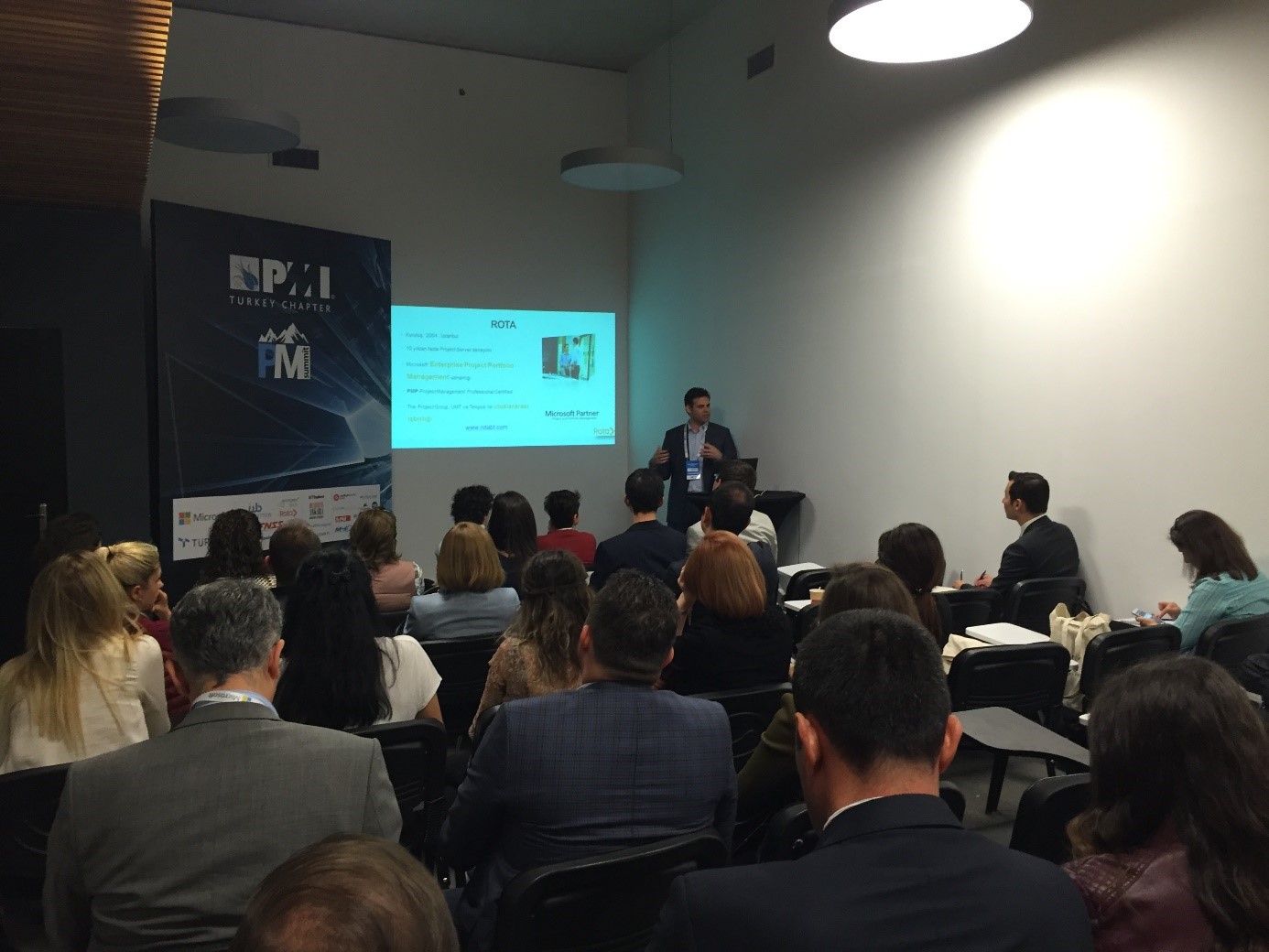
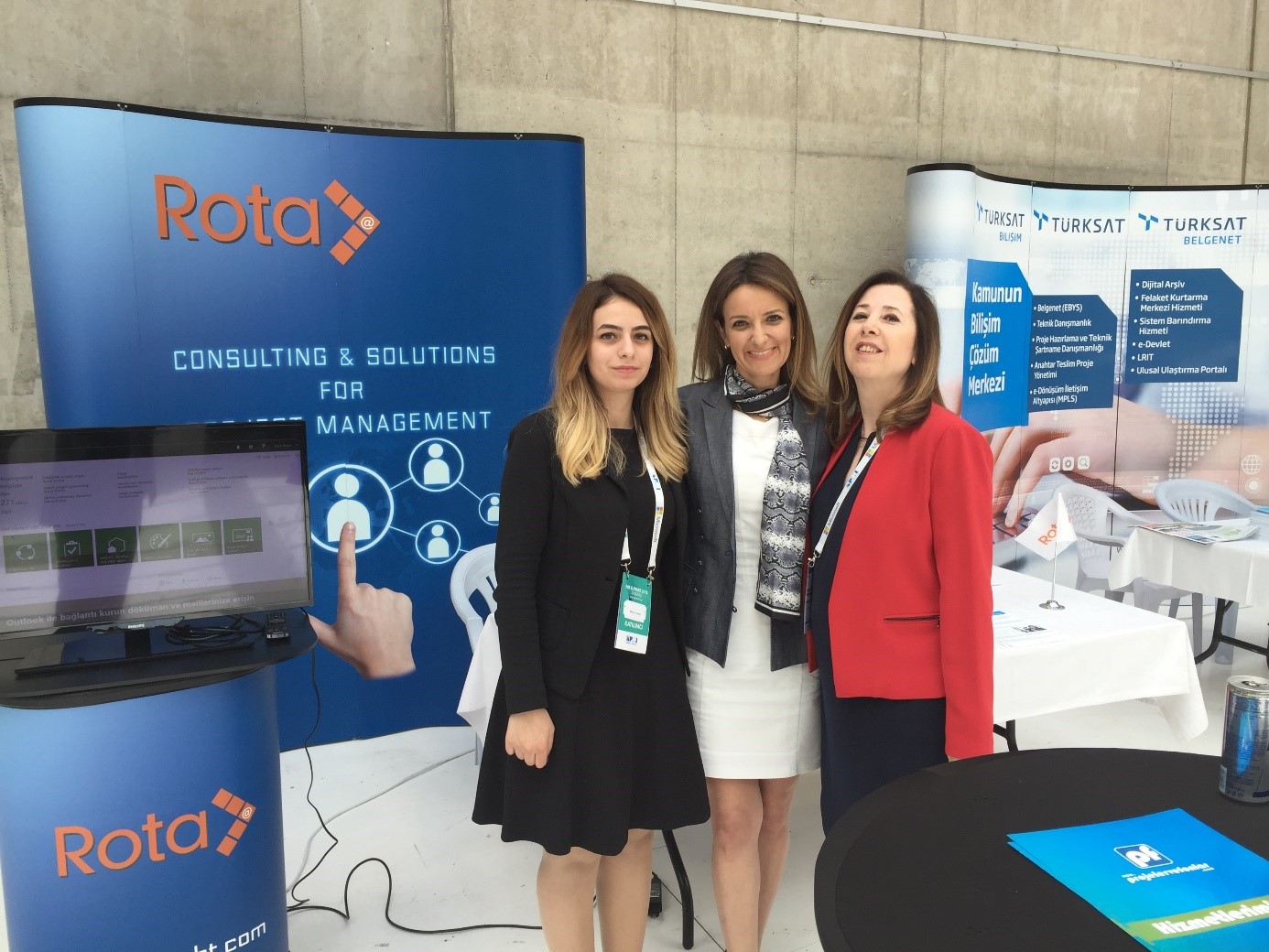
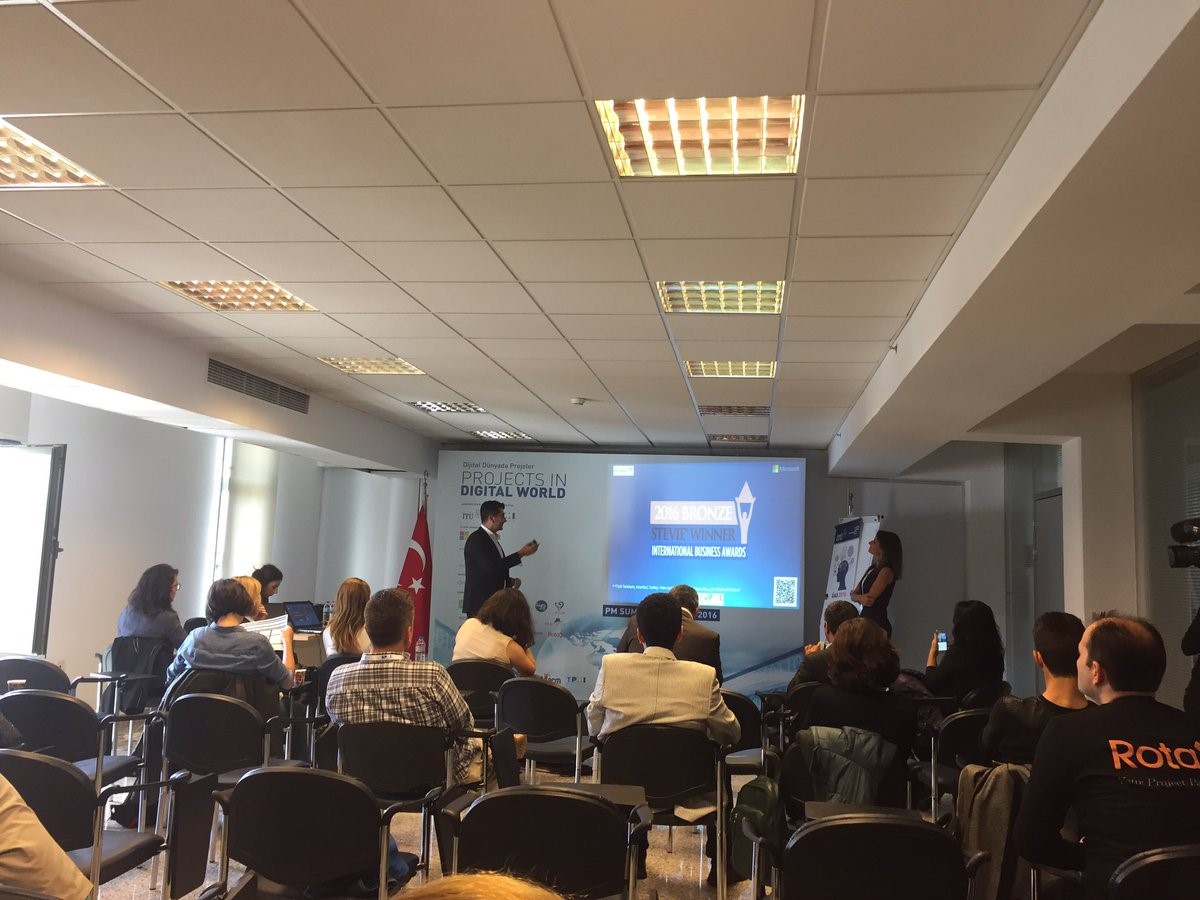
We were among the sponsors of the Project Management Summit held in Cer Modern on May 12, 2016 in Ankara. Our founder manager, Sener Kara, informed the participants with a joint presentation with the MEB officials.

We were pleased to have the opportunity to review the future developments in PM Summit and also the public and private sector perspectives.


2016-nasil-7 2016-nasil-8 2016-nasil-9


Agile Turkey Summit

We attended the Agile Turkey Summit conference in Wyndham Grand Levent in Istanbul on October 6, 2016. We were delighted to share information with the participants at Agile Turkey Summit, that has the main theme “End to End Agile Mind Shift”.

In the upcoming period, we will continue to support activities to promote and disseminate Project Management.

2016-nasil-12016-nasil-2

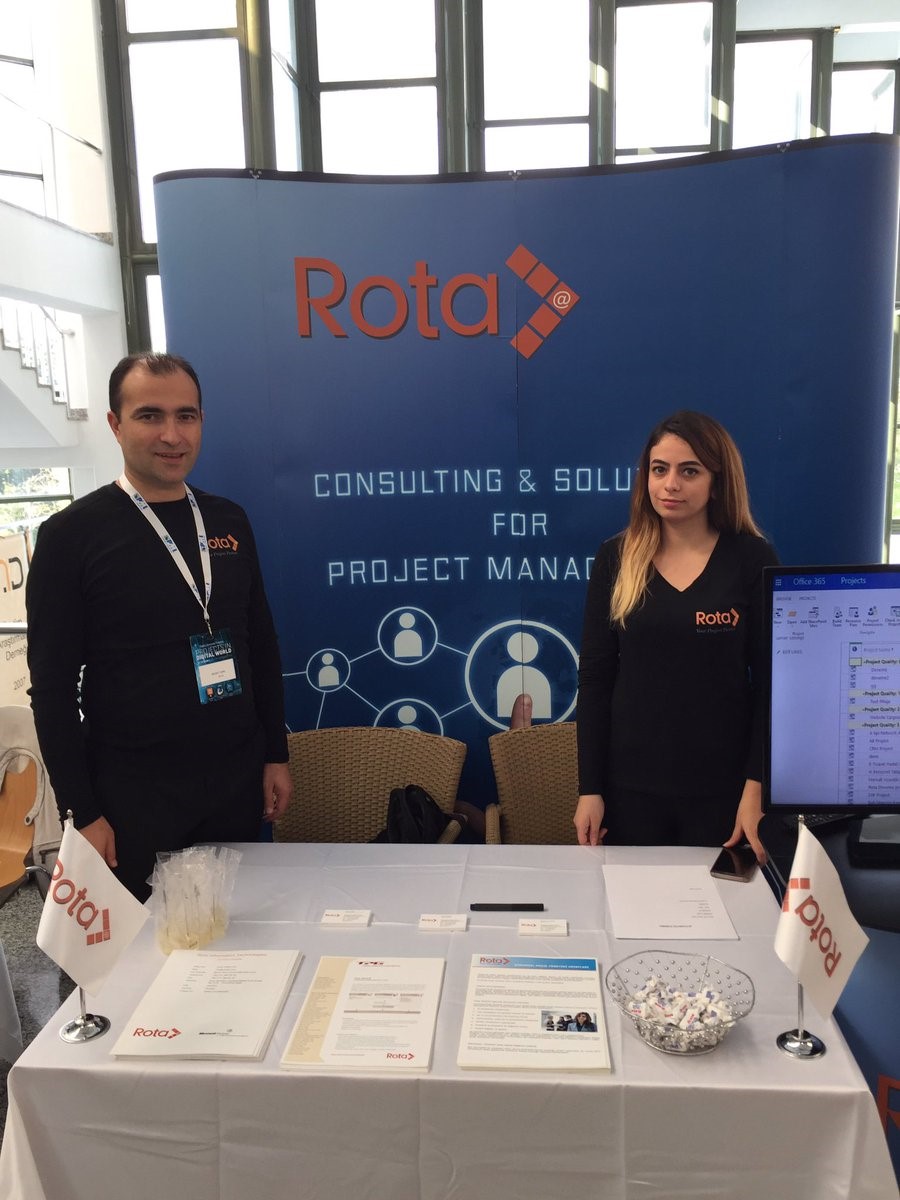
PM Summit İstanbul 2016

14 – 15 October – We were among the sponsors of the Project Management Summit held in Istanbul Süleyman Demirel Cultural Center, Istanbul. We were pleased to have contributed to the summit where the experiences were shared during the digital transformation process.

Erdinç Aslan (Türk Telekom) shares his experiences, about managing the digital transformation by the presentation he made with Yeliz Turunç, (Microsoft SSP MEA) with the participants, as a result of the Corporate Project Management Implementation that we carried out with Türk Telekom.


2016-nasil-32016-nasil-4


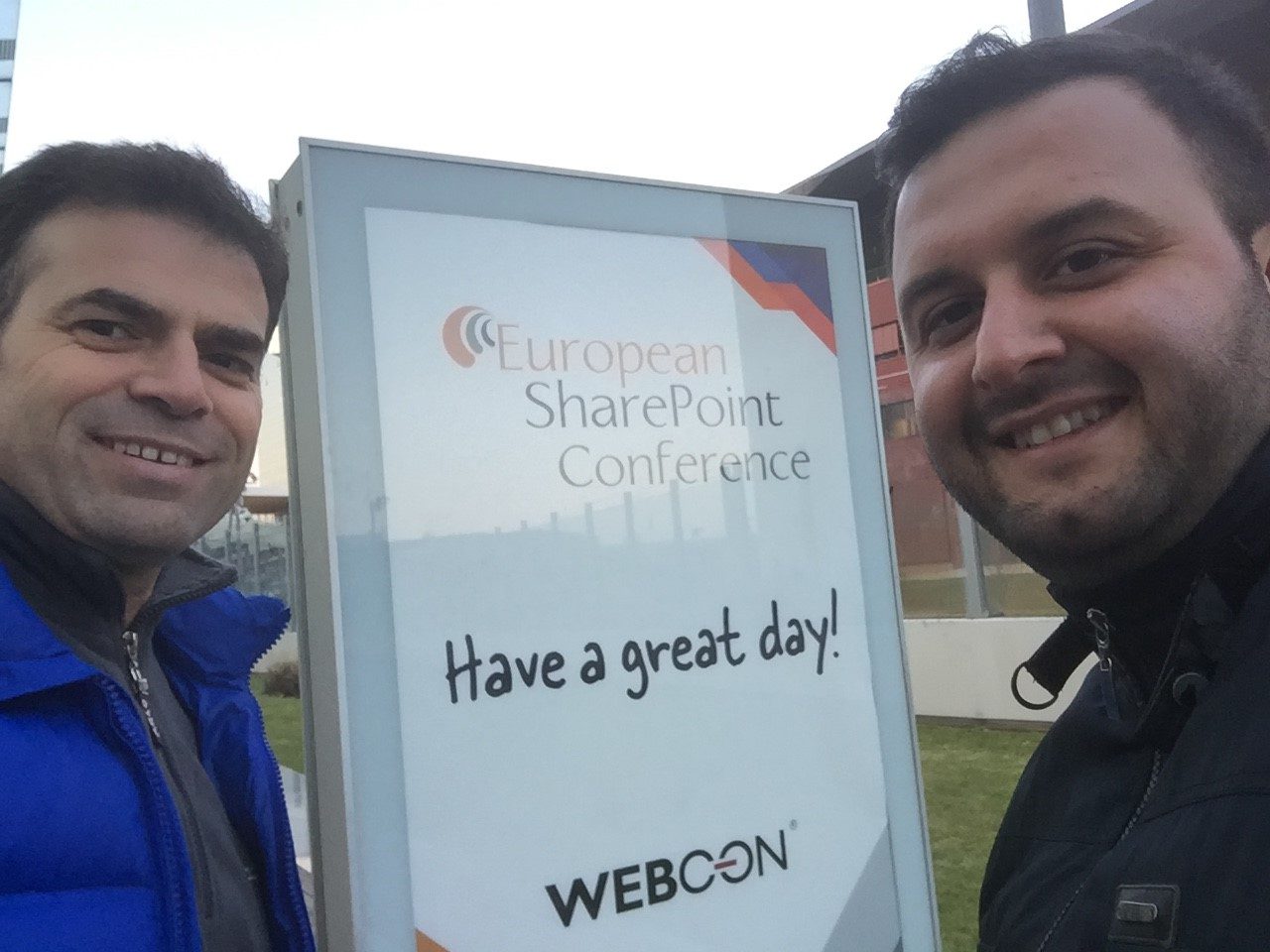
European SharePoint Conference 2016 (Vienna) 2016

The SharePoint Conference, held every year in certain cities of Europe, was held in Vienna on November 11-14. We were able to get to know about the innovations and improvements by joining the event weighted content with SharePoint 2016 and Office 365 in this area.

2016-nasil-52016-nasil-6


Are You Ready For a PPM Tool?

So you want to buy a PPM (Project Portfolio Management) tool?

But are you ready?

PPM and EPM tools can provide significant benefits, but without checking that the prerequisites for successful realization of these benefits are in place, your implementation might not produce desired outcomes.

In modern world of amazing technology, most people think that “if there is a tool, it can solve our problem”. Sometimes a similar mindset prevails when a company decides to implement PPM system to manage their portfolio of projects.

There’s no doubt that plugging in a smart tool is easier than addressing vast process and culture issues.

So for some, the first step toward PPM is to buy and install “the best PPM tool available.” Then they realize that they don’t have processes in place. They meet resistance to changing processes to suit the tool’s needs. Most of the time they fail and put all the blame on PPM tool.

ppm-grid

Sound PPM projects begin with a clear-eyed assessment of the organization’s PPM maturity level and its appetite and ability to advance. If it’s at level 1 now, realistically how feasible is level 4 or 5, and how rapidly can the company achieve it? It may be time to begin embracing PPM best practices, but reaching the desired level can take many months. PPM maturity is a journey, not an event.

The choice of tool is secondary to these considerations. The best tool is the one that most fully serves the very particular needs of the company, regardless of the judgment of the technology marketplace.

ppm-image1

Below are listed some dynamics that will need to be considered when approaching an Project Portfolio Management(PPM) implementation.


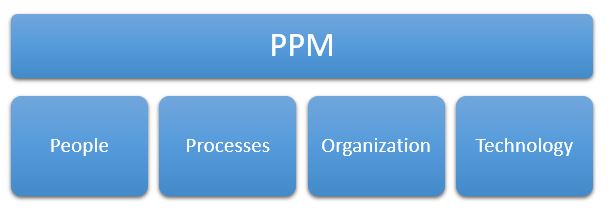
  1. Implement PM processes and practices in your organization. If you don’t have a documented methodology and practice, introducing a tool cannot make any difference.
  1. Secure executive sponsorship and resources. If you have been trying to sell these to stakeholder groups on the benefits of introducing a tool, you need to make sure they have sufficiently bought in.
  1. Allocate human and financial resources to support the tool past the initial roll out.  Regardless of whether a PPM solution is installed on-site or on cloud (subscribed to over the Internet), you still need to have internal or external staffing to provide application support to your end users, to identify and address coaching or compliance issues, and to receive feedback from end users and incorporate that feedback into ongoing improvements to your procedures & the configuration of the tool.  Beyond this, depending on your organization’s needs and the capabilities of your selected tool you may require software development for creating interfaces with your existing business systems and report authors to create custom reports from the tool’s centralized repository.
  1. Sell the PPM solution to the primary end users as well. As they are expected to enter and maintain project data in order to populate dashboards and reports. Try not to increase the administrative work load for team members. if there are existing procedures and processes that are already effective, you can leverage existing habits, practices, and procedures in order to help users’ adoption.

ppm-image2

  1. Train your users based on their roles. Check if you have sufficient personnel with sufficient experience to accomplish the goals that have been set. Remember that different people will have a different roles in the eventual project portfolio management process.  Your users will use PPM more efficiently when they have an understanding of the lingo of project management. But it makes no sense to train every employee to be a project scheduler if, in fact, they’ll never be responsible to create schedules.  By default, you can think of four roles: Administrator, Project Manager, Team Member, and Executive. Of course, depending on organizational structure the roles may be quite different.


Consider the road to full PPM a journey while taking small steps to get to your goal. Management can’t push the user base to achieve goals faster than their skills will allow them to progress.

With today’s difficult economy and global competition, companies can hardly survive the failure of a third of their projects. Embracing PPM can set them on a path to a successful, mature PPM discipline which will help them achieve business goals.

Şener KARA

Reach Your Projects Any Time!

Read more